Here is a Better Windows Backup Recovery Tool for You!
Fast Recovery Option

Quick Scan
Option available for quick scanning that provides you instant recovery results.
Deep Recovery Option

Deep Scan
Option has added for acquiring complete BKF recovery results.
Range Based Scan Option

Range Scan
Option that divides backup in small portion and recover them.



You can perform the recovery of backup database file (.bkf) in all Windows editions including like - Windows 8, Windows 7, XP, 2000, 2003 and Windows Vista by using Windows backup recovery software.
This backup recovery tool also provides the ability to repair BKF file of Windows XP in Windows 7 but, for that, you need to move windows xp backup to windows 7 with a third party source.
Different types of corruptions can take place in Windows backup file .bkf and this backup recovery tool is capable of fixing all types of corruptions of BKF file by its advanced scanning options.

Quick Scanning - In this the tool quickly scans the entire content of BKF file in one go. The option is recommended for Fast Recovery in low corruption situations.
Deep Scanning - In this the tool deeply scans the content of BKF file in two phases. The option is recommended for better recovery in extreme corruption situations.
Range Based Scanning - This software also provides you marvelous feature i.e. Ranged Based Scanning. This is an advance scanning technique, in this method you can set a range of data to be recovered. If you want to recover your all data then set it to 100% and if you want recover just partial data e.g. half amount of data then set to 50%.




Advantages of Windows Backup Recovery Tool
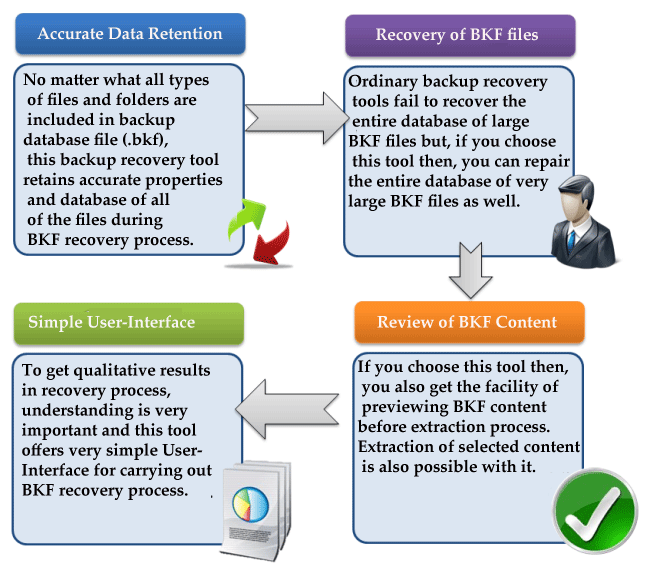
Trialing of Tool Is Possible
Before purchasing the corrupt backup data recovery software, you can try its functionality with free trialing edition. This edition allows you to preview all recovered content of BKF file on your computer screen.
For saving all recovered database of BKF file on your computer hard drive, you need to purchase the full edition of backup recovery tool. We guaranteed that it will definitely fulfill your need. We also take care about our valued customers for which we provide free online support. You can contact our technical supports team which is available 24x7.

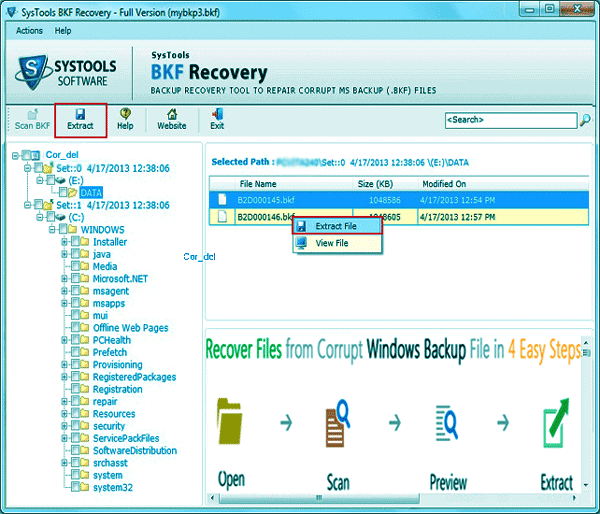
 Windows backup file repair tool can satisfy user need to recover BKF files from corruption & I am one among the many users who face BKF file corruption and further resolved it with the BKF Recovery Tool. I need to say, we must be aware of such kind of tool so that data loss will be a fairy tale in recent future.
Chrisitan Edalene, Italy
I found one of my crucial files been deleted from the drive I stored it, and after realizing the fact that it include the images that were important to my sister, I was almost lost. Next aim was to recollect it from the backup files which were available in a remote storage unit. But it was a shock to know they were also corrupted. Then I searched for backup recovery tool for Windows and got the BKF Repair software which was excellent and user friendly in giving perfect results altogether. Sabella Landon, UK
Thanks for such an innovation for this affordable rate- Yes I am talking about your Symantec Backup Recovery Software itself. It worked amazingly to recover BKF files that were reported as corrupted, that saved my crucial report and files. I will always be there to say ‘Yes’ your products are worth buying. Andrew Bari, Sweden